Understanding Projects in Bitbybit
What is a Project?
If you're subscribed to the Bitbybit platform and use our editors to create your 3D experiences, Projects are your primary way to organize your work.
Think of a project as a container that can hold:
- Multiple Scripts: Each project can contain many individual scripts.
- Multiple Editor Types: Within a single project, you can create scripts using any of our three main editors: Rete, Blockly, or the Monaco editor for TypeScript.
There's no limit to the number of public projects you can create. However, depending on your subscription plan, there might be limits on the number of private projects. You can find more details about this in our Pick a Plan section.
Project Visibility Options
Public Projects
When you first create a new project, it is private by default, meaning only you can access it. You have the option to make your project public. Once public, it will appear in our Public Projects Gallery.
Key features of Public Projects:
- Universal Access: The gallery and the projects within it are visible to everyone on the internet.
- Open Scripts: Scripts within public projects also become publicly accessible. Anyone online, even those without a Bitbybit account, can run your public scripts and use any preview links you share.
- Share Your Work: This is a fantastic way to share your creations with the world, get feedback, or showcase your skills to potential employers or clients.
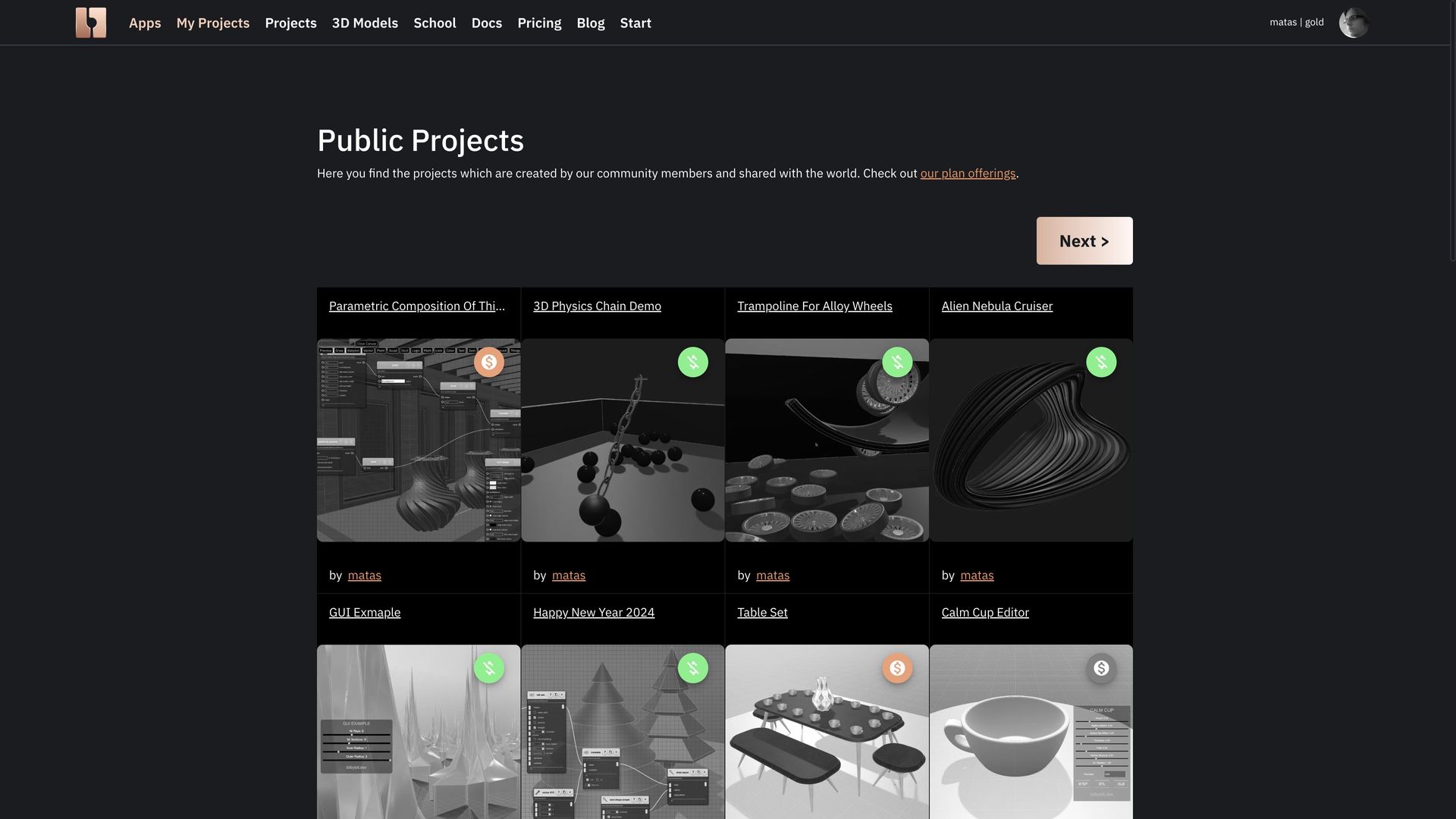 Public projects gallery
When you publish a project, it typically appears at the top of the "latest projects" list. We encourage our community to publish projects that include a preview image and have scripts that are functional. This helps ensure the gallery remains a valuable resource, free of empty or non-working projects.
Please review our Terms and Conditions for more details regarding public projects.
Private Projects
Private projects, as the name suggests, are visible only to you.
- The scripts within these projects are also private.
- If you were to share the URL of a private script with someone else, they would not be able to open or view your code.
Silver and Gold Community Projects
When you decide to publish a project (making it visible beyond just yourself), you'll be presented with three main visibility options:
- Public:
- Accessible to everyone, including both subscribed and unsubscribed users.
- Marked with a green, crossed-out dollar sign icon in the public projects gallery.
- Silver Community:
- Scripts are accessible only to users with a Silver or Gold community subscription.
- Projects are visible in the public projects gallery, but their scripts cannot be opened by the general public.
- Marked with a grey dollar sign icon in the public projects gallery.
- Gold Community:
- Scripts are accessible exclusively to users with a Gold community subscription.
- Projects are also visible in the public projects gallery, but only Gold plan subscribers can open and run their scripts.
- (The icon for Gold projects may vary or be similar to Silver, specific visual cues in the gallery will distinguish them).
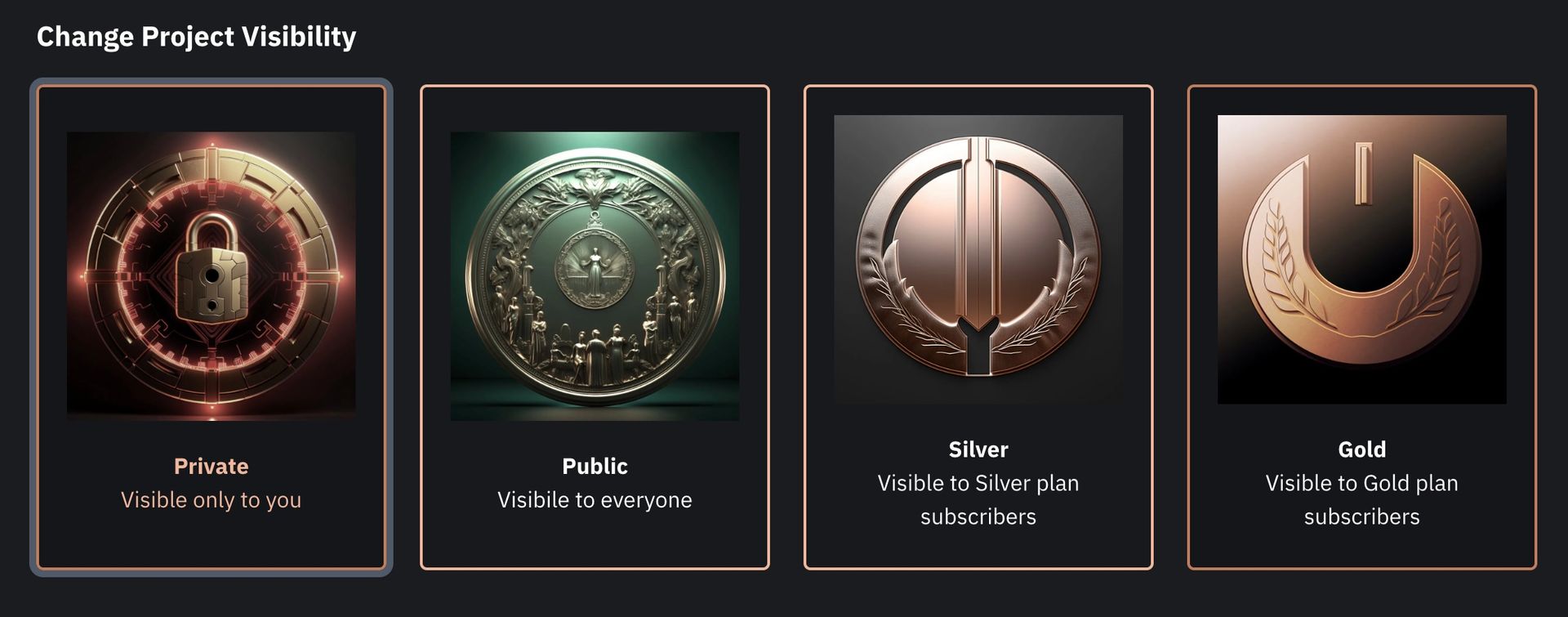 Project visibility options available when publishing
Important Note on Community Projects: Silver and Gold community members often get access to additional, more advanced algorithms that are not available to the general public or free-tier users.
- If your project's scripts utilize these exclusive algorithms, general public users would not be able to run them successfully (the scripts would likely fail).
- Therefore, if you use Silver or Gold-tier algorithms, we require you to publish your projects to the corresponding Silver or Gold community levels. This ensures that only users who have access to those algorithms can attempt to run your scripts.
For more details on this, please refer to our Terms and Conditions.
To learn the specifics of how to create, manage, and publish your projects, please explore the other sections within this category.