Drawing Explained: Bringing 3D Objects to Life
How Drawing Works in Bitbybit
You might remember from the "Hello World" tutorial that a special drawing component was needed to make the 3D text appear on your screen. If you had only created the "text 3d" object without drawing it, nothing would have been visible. This section delves a bit into the theory behind why we separate the concept of an object from its visual representation.
The "Platonic" Universe of Objects
Think of it this way: in Bitbybit, 3D objects initially exist in a kind of "Platonic" shadow universe. They are abstract definitions of geometry. As long as they haven't been "drawn," they remain in this conceptual state. You can freely change, combine, and manipulate these abstract objects in various ways before they are made visible.
The act of drawing is the process that creates a visual representation of these abstract, "Platonic" objects. It takes a snapshot of their current geometric state and translates it into a visual description that can be displayed on your screen.
You may have seen terms like "Draw Babylon Mesh" on some drawing components.
- What is a "Babylon Mesh"? BabylonJS is a powerful, open-source 3D game engine that runs directly in your web browser. Everything you see rendered on the screen within the Bitbybit platform is handled by BabylonJS. Our NPM Packages support ThreeJS game engine as well, where the same principles apply - you draw ThreeJS Mesh objects and use them as Group objects inside the game engine.
- The Drawing Process: Drawing transforms your abstract, "Platonic" objects into visual "mesh" representations that BabylonJS can understand and display.
This diagram illustrates the process:
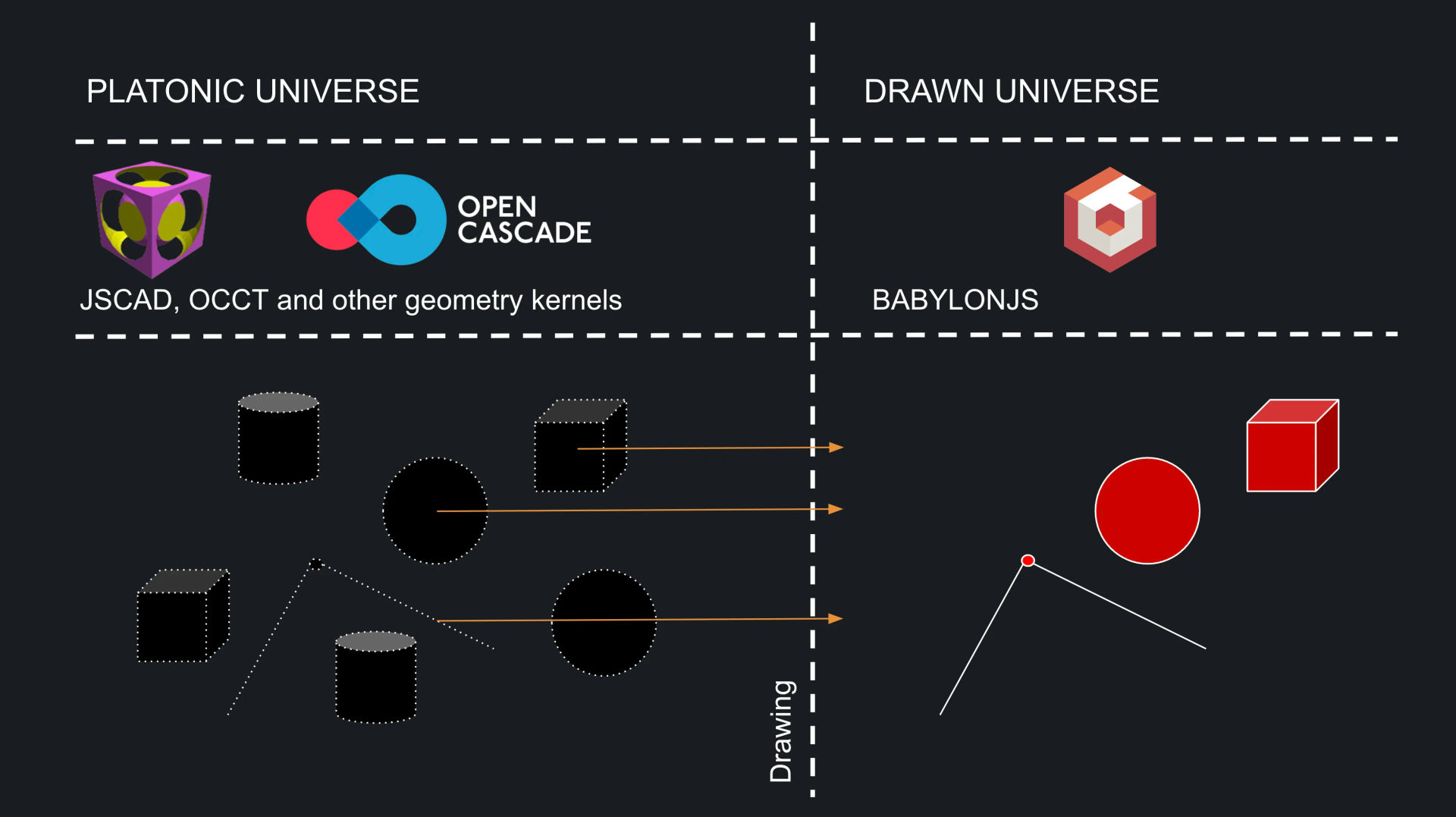 Process of Drawing
As the image suggests, you have control over which objects you choose to draw. For instance, when creating a line, you might not want its individual start and end points to also be drawn as separate visible entities. While possible, we give you the choice.
This selective drawing approach offers a significant performance benefit. You can perform many transformations or complex operations (like boolean operations on solids) on your abstract "Platonic" models without needing to create a visual representation at every intermediate step. You only draw the final result, or specific snapshots you care about. You'll learn more about these operations in later guides.
The Role of BabylonJS
 BabylonJS Game Engine
BabylonJS is a vast and capable 3D engine. In Bitbybit, we expose essential parts of it, primarily under the "babylon" category in our visual editors, to allow you to create engaging and interactive 3D experiences. We also strive to abstract and simplify some of its more complex aspects.
For example, if you create a light source, we make it straightforward to enable shadows. Once enabled, any subsequently drawn objects will automatically cast and receive shadows. This shields you from some of the lower-level complexities of shadow setup in a 3D engine. Over time, we are gradually exposing more native BabylonJS behaviors through our Blockly and Rete visual editors. For those using the Monaco (TypeScript) editor, you have full, direct access to the BabylonJS API, allowing for more intricate custom behaviors. However, Bitbybit's own algorithms also offer helpful abstractions to ease the use of the game engine natively, giving you the flexibility to choose your preferred coding approach.
The power of BabylonJS allows us to bridge the gap between precise CAD (Computer-Aided Design) kernels and interactive gaming/simulation contexts. This means you can construct detailed geometric models and then use them in games or simulations that require user interaction within the same environment. We anticipate enabling more features like physics in the future, thanks to BabylonJS's capabilities.
WebGL and WebGPU: The Graphics Backbone
BabylonJS is built upon WebGL, the standard web graphics library. Excitingly, BabylonJS also has robust support for WebGPU, the next-generation graphics API for the web. WebGPU promises better performance and more efficient use of your computer's graphics card.
Because Bitbybit leverages BabylonJS, we inherently support these technologies too. When your browser fully supports WebGPU (it's still experimental in some browsers and might require enabling special flags in settings), Bitbybit will automatically switch to using it for an enhanced experience.
What Can You Draw?
Simply put, you can draw almost anything that has a three-dimensional form. Primarily, you'll be drawing:
- Points
- Lines and Polylines
- Curves (like splines, arcs, etc.)
- Surfaces
- Various Solids (cubes, spheres, cylinders, custom shapes from CAD operations)
Bitbybit supports many methods for creating these geometric primitives, allowing you to choose the approach that best fits your specific application.
While creating these primitives is crucial, especially for parametric CAD modeling, it's also important to know that you can import and draw ready-made 3D assets created in other software packages.
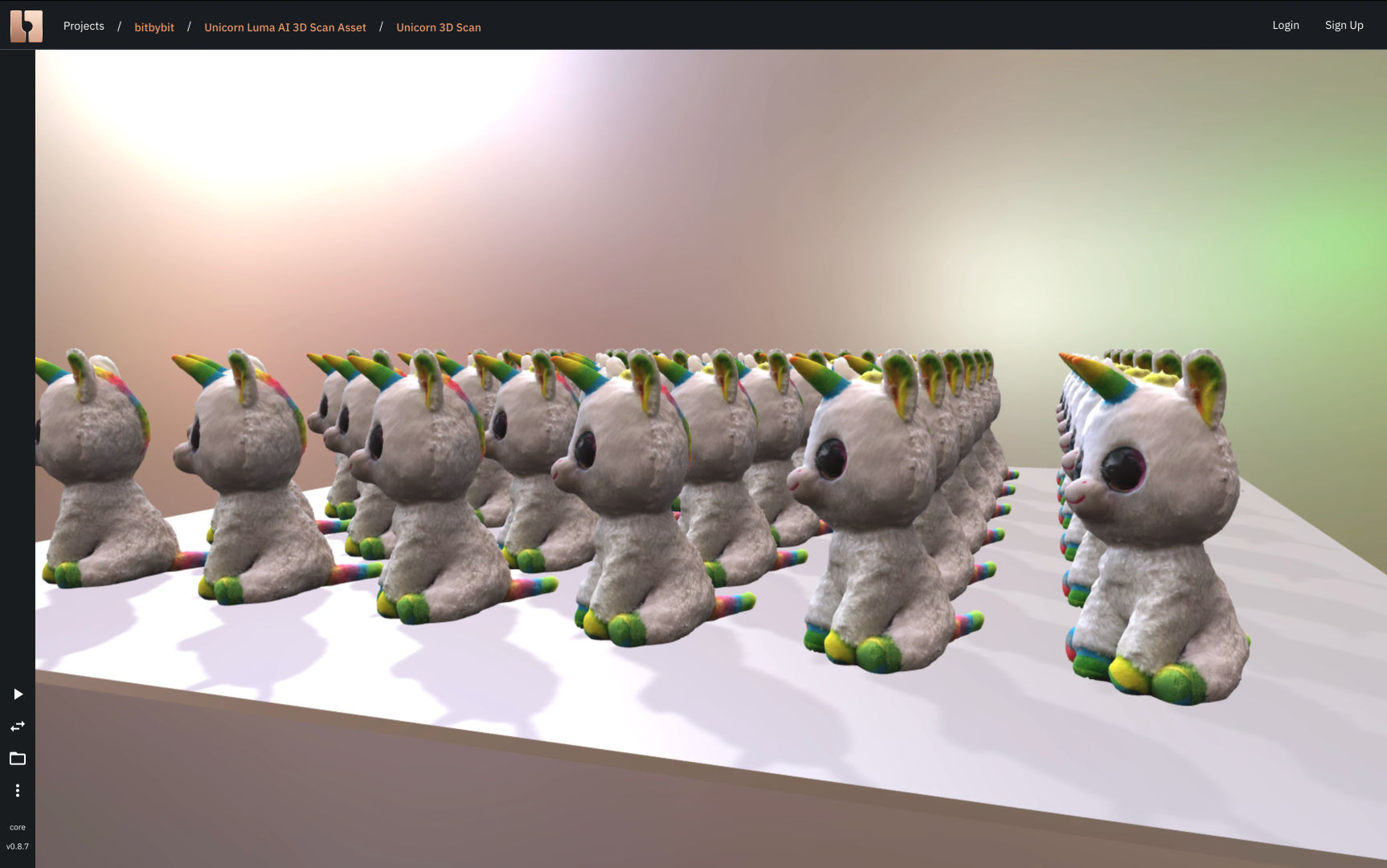
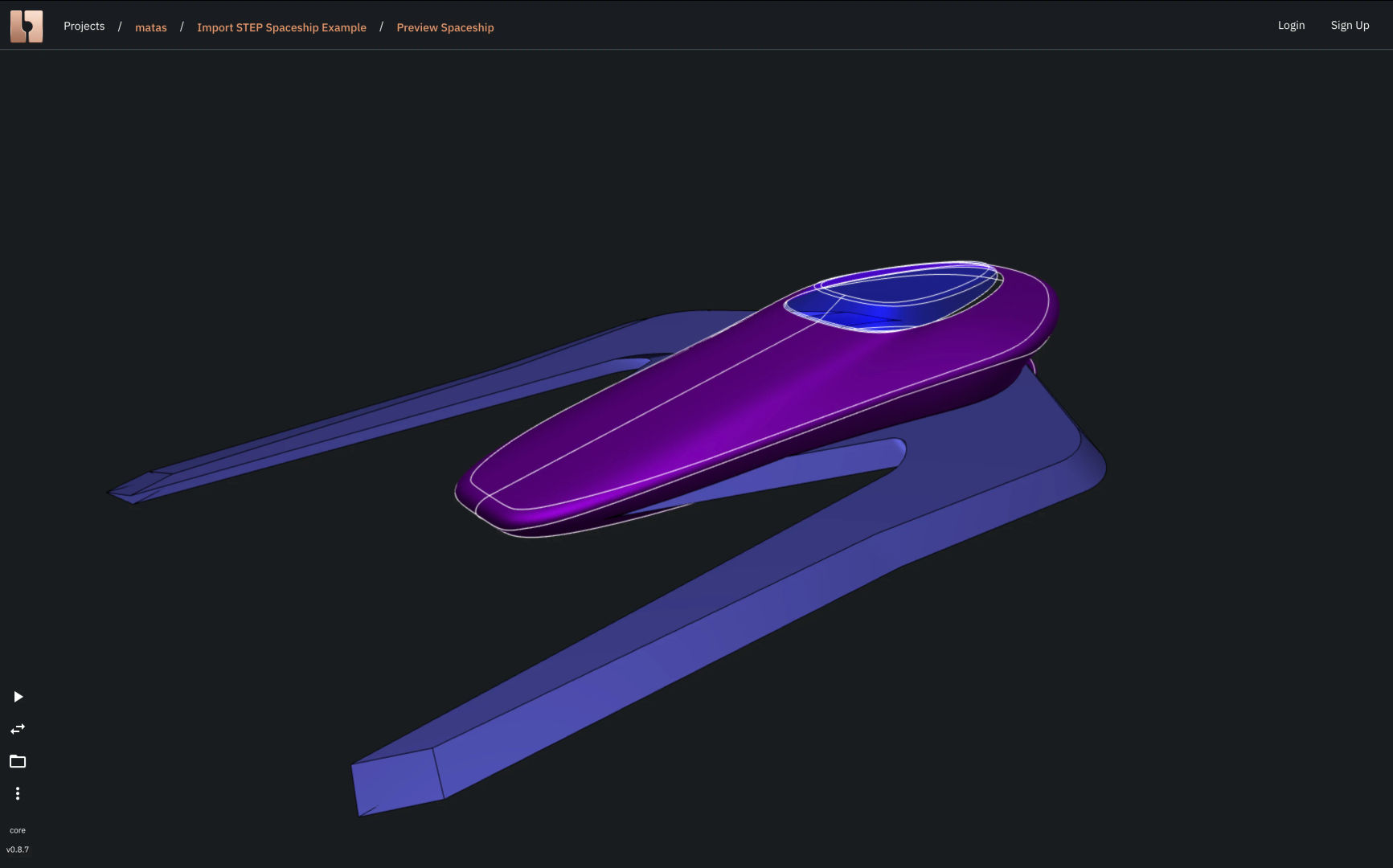
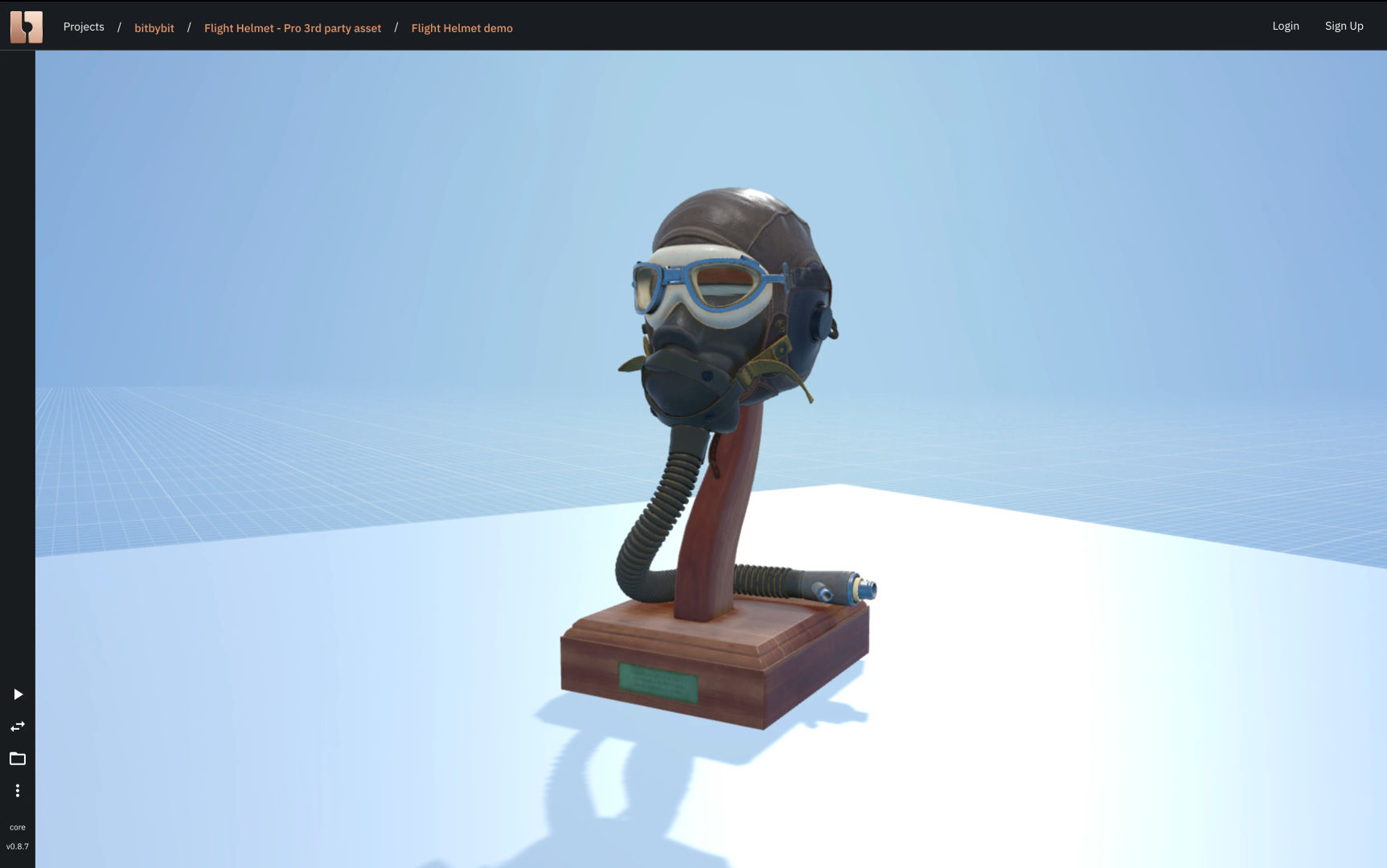
Here are a few examples of imported assets drawn in Bitbybit:
Drawn GLTF Unicorns

Drawn STEP Spaceship
Drawn GLTF Flight Helmet
What is a "Drawn Object"?
In basic terms, a drawn object in Bitbybit becomes a BabylonJS Mesh. While this mesh is a visual snapshot of an object from the "Platonic" universe, it doesn't mean it's static or unchangeable after being drawn.
In fact, you can do many powerful things with these drawn BabylonJS Meshes:
- Transform: Change their position, rotation, and scale.
- Appearance: Apply various materials and textures.
- Optimize: Clone them or create highly optimized GPU instances for drawing many similar objects efficiently.
- Interact: Make them respond to click events, ray intersections (e.g., what the mouse is pointing at), or bounding box collisions (detecting if objects touch).
- Hierarchy: Group them into different coordinate systems (called "Nodes" or "TransformNodes" in BabylonJS). Transformations applied to a parent node will affect all its child meshes, allowing for complex animations and scene organization.
These capabilities enable you to create rich and interactive 3D experiences on the Bitbybit platform.
By default, when you use a "Draw" component, the object becomes visible on the screen. However, you can also choose to draw objects and then hide them initially. This is useful in scenarios like:
- Loading an asset for a game but keeping it hidden until the player clicks a button or enters a specific area.
The components that allow you to manipulate drawn BabylonJS meshes are typically found in the "Babylon" category of our visual editors. There's a lot of potential here, and we'll explore many of these techniques in later tutorials.