What are Theme App Extension Blocks?
Shopify uses Theme App Extension Blocks to let third-party apps like 3D Bits render content on your store. You can place these blocks almost anywhere on your site-product pages, blog posts, your homepage, and more.
Understanding Shopify Templates
Theme App Extension Blocks live inside Shopify templates. Each product in your store uses a template-new stores typically start with a Default Template. Templates let you customize multiple pages at once instead of editing each page individually.
Think of templates like blueprints for your pages. If you have different types of products, you'll likely need different templates. For example, if only some products need 3D viewers while others don't, you'd create separate templates for each type. The same goes for different configurator settings-you might want unique 3D configurations for different product families.
Without templates, you'd have to apply the same customizations to every single page, which would be incredibly time-consuming.
Check out the official Shopify documentation on templates for detailed information.
How to Edit a Product Template
To access your product's template:
- Open any product page in your Shopify admin
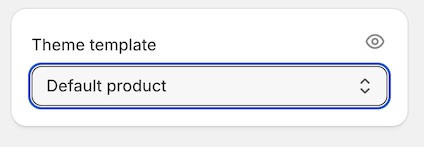
- Look for the Theme Template card at the bottom of the right sidebar
- Click the eye icon to inspect and edit the template's contents
How to Create a New Template
New templates are typically created by branching from existing ones. Here's how:
- Navigate to View Template for any product
- Click the template name (usually "Default Product") at the top center of the screen
- Scroll down if needed to find the blue + Create template button
- Click the button and enter a name for your new template
- Choose which existing template to use as the foundation
Working with Blocks in Templates
When you edit a template, you'll see various blocks you can add. Shopify provides native blocks like Quantity Selector, Variant Picker, and Buy Buttons. Apps can create their own blocks too-this is how 3D Bits integrates with your store.
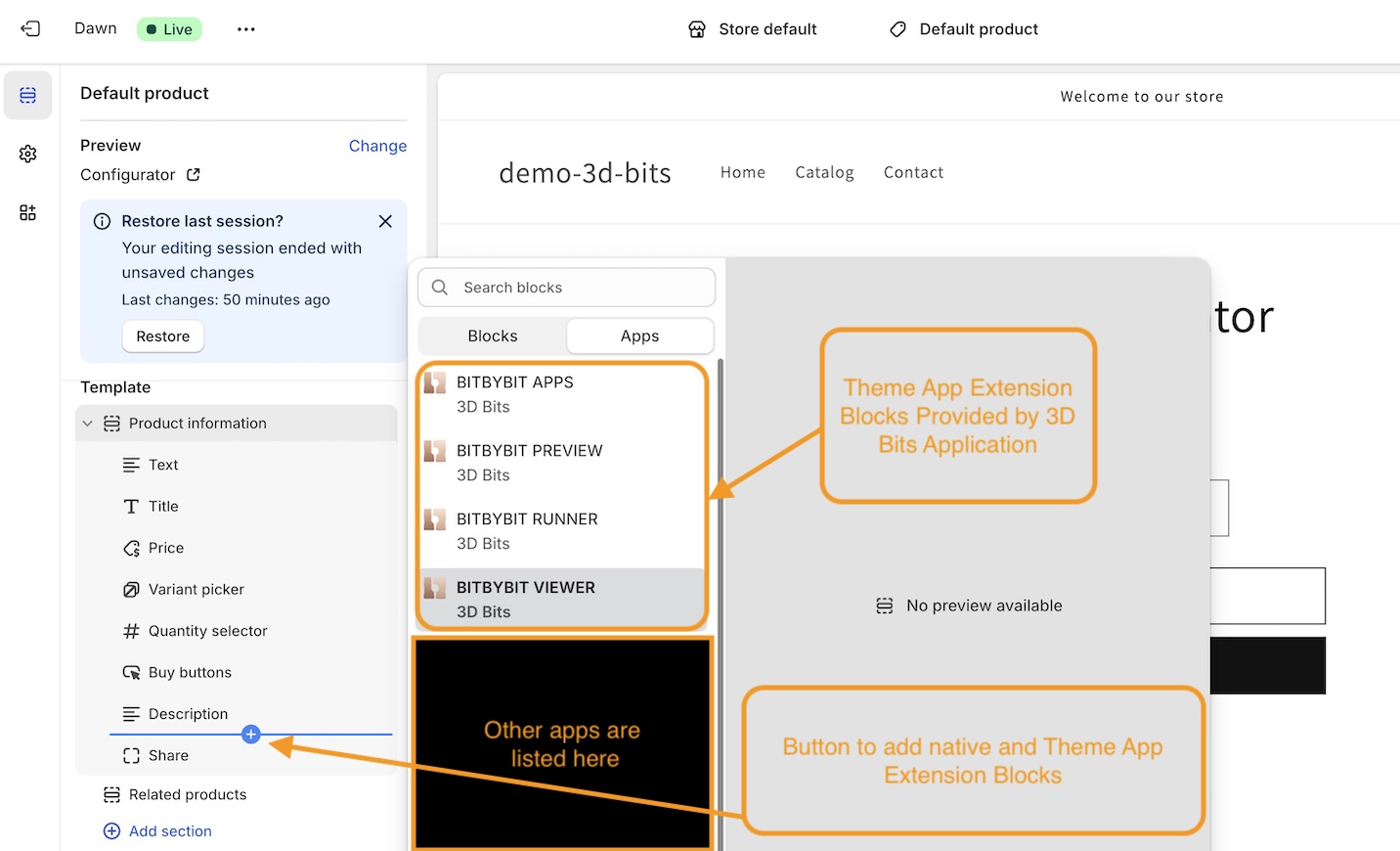
The 3D Bits Extension Blocks
3D Bits provides four Theme App Extension Blocks, each designed for different use cases:
BITBYBIT VIEWER
Best for displaying static 3D models and creating no-code configurators. Use this block if you have GLTF models, 3DGS files, or other compatible 3D assets ready to display.
Once you've added this block to your template, check out the BITBYBIT VIEWER Settings Tutorial to configure it.
BITBYBIT RUNNER
Built for parametric geometry and custom configurators. This block works with visual programming editors or TypeScript to generate 3D content dynamically.
After adding this block, see the BITBYBIT RUNNER Settings Tutorial for setup instructions.
BITBYBIT APPS
A Pro plan feature for developers building custom single-page 3D experiences with full control.
Learn more in the BITBYBIT APPS Settings Tutorial.
BITBYBIT PREVIEW
Embed public projects from the bitbybit.dev platform directly into your store.
See the BITBYBIT PREVIEW Settings Tutorial for configuration details.
Common Settings
Some settings of these blocks are shared. You can check common settings documentation.