The "BITBYBIT RUNNER" Block for Shopify
The BITBYBIT RUNNER is a theme app extension block provided by our "3D Bits" Shopify app. It offers powerful functionality to import scripts created in Bitbybit editors and link them with your Shopify product variants and custom line item properties. This enables dynamic, parametric 3D product configurators directly on your product pages.
This block is the most versatile and powerful option within the "3D Bits" app. However, mastering its usage requires a good understanding of parametric 3D model scripting and potentially some CAD concepts. If you are not familiar with these areas, we recommend:
- Hiring a developer experienced with 3D web technologies.
- Contacting us for a quote on our professional services to help you with the setup.
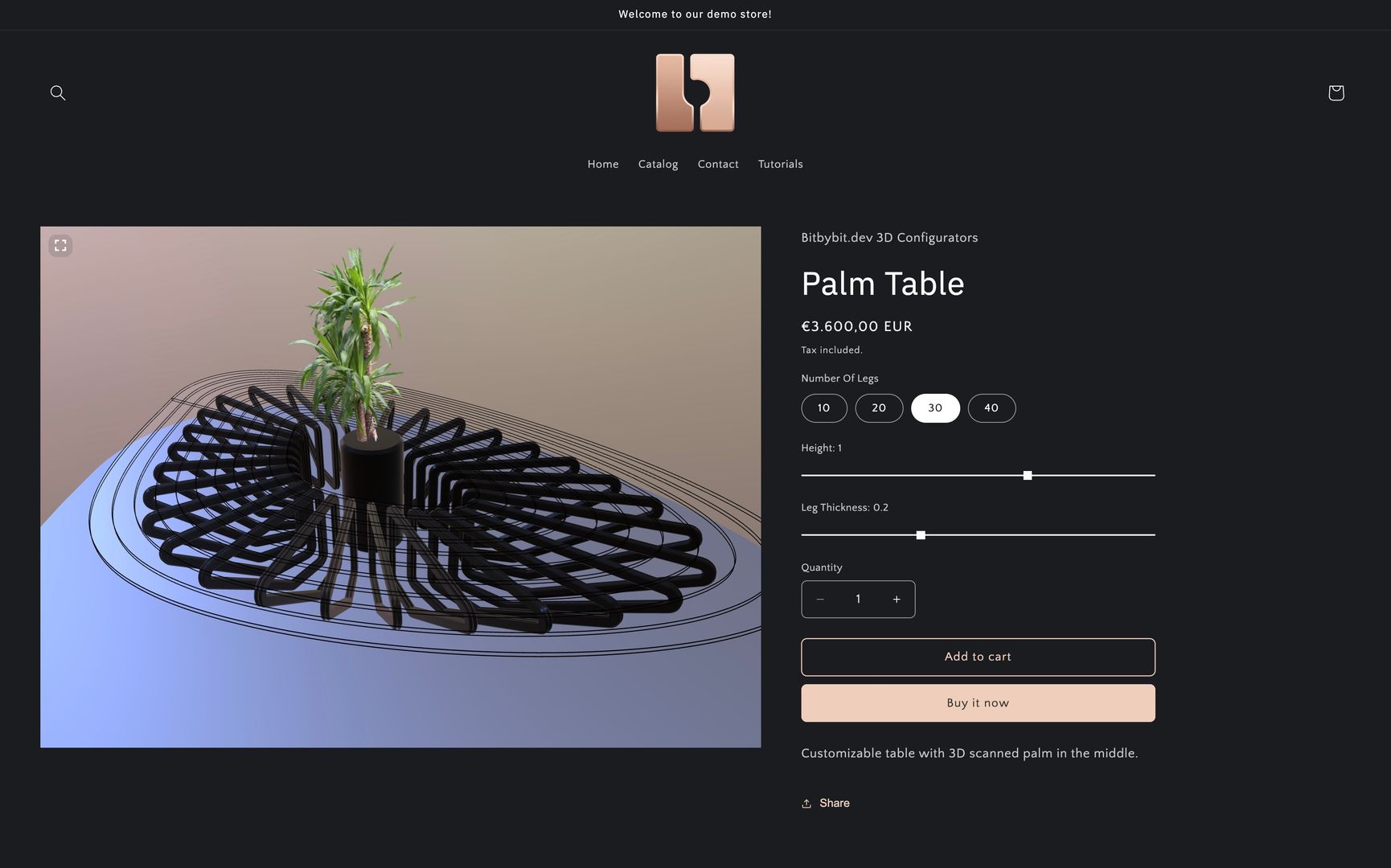 Example of a customizable product page with a 3D table, where the RUNNER block is being used.
The BITBYBIT RUNNER block allows Shopify merchants to present parametric 3D models and interactive experiences that have been scripted using the editors on bitbybit.dev. It seamlessly integrates a 3D canvas into your product page. Our app intelligently listens for changes in various input values on the page (like dropdowns for variants, or custom input fields) and sends these values to your "smart" Bitbybit script. Your script can then use these inputs to adapt and update the 3D model in real-time.
Is the RUNNER Block Right for You?
- If your products are simple, static, and not meant to be customized parametrically:
The RUNNER block might be more than you need. In such cases, we encourage you to explore our other "3D Bits" app blocks:
- BITBYBIT VIEWER: Ideal for displaying one or multiple static 3D models on your product page without needing to use the Bitbybit editors.
- BITBYBIT PREVIEW: A great option if you want to embed a publicly available script from the Bitbybit platform directly into your product page.
How Does the BITBYBIT RUNNER Block Work?
While we offer several tutorials to guide you through the specifics, the core principle is straightforward:
- Create Your Script: Design and code your parametric 3D model or interactive experience using one of the editors (Rete, Blockly, or TypeScript) on the bitbybit.dev platform.
- Export Your Script: Use the "Export to Runner" feature within the Bitbybit editor to generate JavaScript code from your visual or TypeScript program.
- Integrate in Shopify: Copy this exported JavaScript code and paste it into the designated field within the BITBYBIT RUNNER block settings in your Shopify theme editor.
- Link Inputs (Optional but Powerful): Configure the block to link Shopify product variants or custom line item properties to specific input parameters defined in your Bitbybit script.
This process allows merchants to first define their adaptable 3D designs on Bitbybit, choosing from low-code visual programming editors or our TypeScript IDE. Then, they can bring this dynamic logic into their Shopify store via the "3D Bits" app, creating truly interactive product customization experiences for their customers.
For more detailed instructions and examples, please follow the tutorials available on our Shopify Start Pages.