Viewer Editor
Viewer Editor is a powerful no-code 3D eCommerce solution that enables you to build interactive 3D product configurators and custom 3D scenes using your ready made assets such as GLTF and 3DGS. Create sophisticated product visualizations without writing a single line of code.
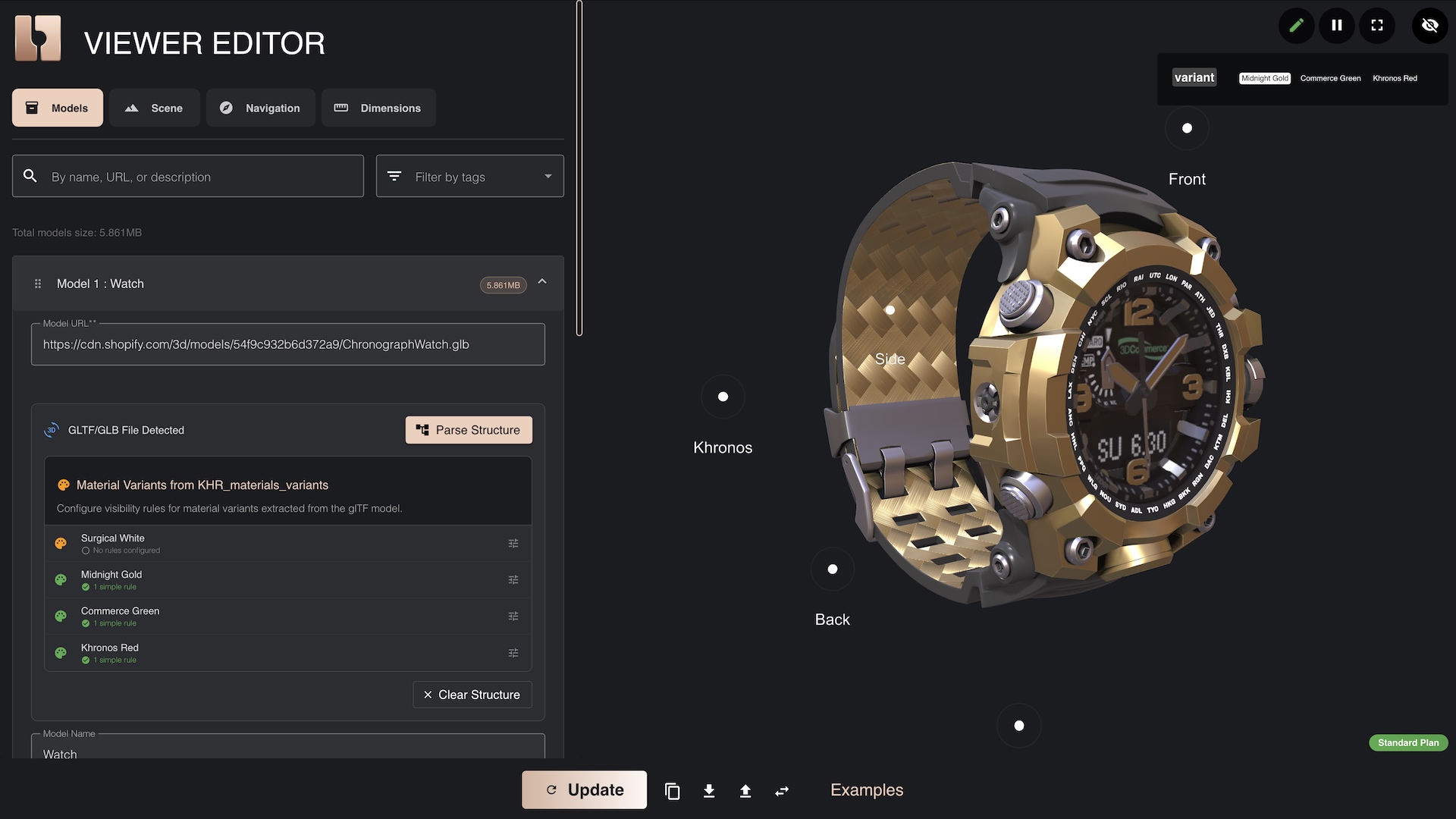
Credits
3D Model: watch 3D asset was started from "Chronograph Watch Mudmaster" by graphiccompressor, licensed under Creative Commons Attribution.
- © 2025, Darmstadt Graphics Group GmbH. CC BY 4.0 International - Eric Chadwick for Model and textures
- © 2015, Khronos Group. Khronos Trademark or Logo - Non-copyrightable logo for Khronos logo
- © 2017, Khronos Group. Khronos Trademark or Logo - Non-copyrightable logo for 3D Commerce logo
- © 2020, Darmstadt Graphics Group GmbH. LicenseRef-LegalMark-DGG - Copyrightable logo for DGG logo
Availability
Viewer Editor is an Enterprise-level feature currently available exclusively through our Shopify integration. It is not included in Silver or Gold subscription plans and does not offer a freemium tier.
Current Status:
- ✅ Available for Shopify customers via our 3D Bits app
- 🚧 Integrations with other eCommerce platforms coming soon
If you need Viewer Editor for a non-Shopify eCommerce platform, please contact us to discuss a custom service, integration & maintenance contract.
Integrations
The Viewer Editor works seamlessly with our 3D Bits Shopify app. The JSON configuration you create in the editor can be integrated into your Shopify store through the 3D Bits Scene Config metafield, allowing you to link 3D assets, points of interest, and dimensions to your product variants.
What is Viewer Editor?
Instead of manually writing JSON configuration code, the Viewer Editor provides an intuitive interface where you can:
- Load and arrange multiple 3D models in a single scene
- Configure variant matching to show/hide models based on product options
- Manage GLTF/GLB nodes and material variants visually
- Set up camera positions and controls with visual feedback
- Design advanced backgrounds including gradients, images, and HDR skyboxes
- Add custom lighting and shadows with real-time preview
- Create dimension annotations for technical product visualization
- Define points of interest for guided navigation
- Customize loading screens with logos and colors
- Configure animated rotations per model or globally
How It Works
The Viewer Editor generates valid Scene JSON Configuration that you can use in two ways:
- Copy to clipboard - Click the Copy button and paste directly into the Scene Config metafield
- Download as file - Click the Download button in the bottom toolbar, upload to Shopify CDN, and reference the URL
The generated JSON follows the Viewer Scene Schema and is automatically validated.
Key Features
Visual Model Management
Import 3D models (GLB, GLTF, PLY, SPLAT, OBJ, STL) and position them in your scene using visual controls. The editor provides a real-time 3D preview of your configuration.
Variant Matching System
Connect product variants to 3D models or specific parts:
- Show different models based on color, size, or custom options
- Hide/show GLTF nodes dynamically
- Apply material variants from GLTF files
- Use the option name edit feature to easily rename input field mappings when themes or apps update
Advanced Scene Configuration
Access powerful features not available through basic block settings:
- Advanced backgrounds: Linear gradients, radial gradients, background images, HDR skyboxes
- Custom lighting: Directional lights with shadows, intensity, and color control
- Camera controls: Arc rotate camera with limits, sensitivity, and zoom settings
- Loading screens: Custom logos, colors, progress bars
- Dimension annotations: Linear, angular, radial, diametral, ordinate, and bounding box dimensions
- Points of interest: Interactive hotspots with camera animations
Subscription Plans
Available features in the Viewer Editor depend on your subscription plan, for Shopify, please refer to subscription plans for details on which features are included in each tier.
Getting Started
- Access the Viewer Editor from the 3D Bits app dashboard in your Shopify admin
- Import your 3D models by providing public URLs
- Configure your scene using the visual interface
- Test variants to ensure they work correctly
- Export the configuration using Copy or Download
- Link to product metafields for dynamic per-product configurations
Video Tutorials
Chair Configurator with Viewer Editor
Learn how to build an interactive 3D chair configurator using the Viewer Editor and GLTF material variants:
Related Documentation
- BITBYBIT VIEWER Block - Overview of the viewer block
- Block Settings - Detailed explanation of all viewer settings which accept Viewer Editor integration
- 3D Bits App - Main 3D Bits app documentation