Scaffold Your 3D CAD Projects in Seconds with create-app CLI

TLDR
npx @bitbybit-dev/create-app my-awesome-project
Bitbybit brings a brand new developer experience to the table. Say hello to @bitbybit-dev/create-app, a CLI tool that lets you scaffold fully-configured 3D CAD projects in just a few seconds.
The Problem We're Solving
Getting started with 3D CAD development on the web has traditionally involved quite a bit of setup work. You need to configure your bundler, set up TypeScript, install the right packages for your chosen 3D engine, and make sure all the geometry kernels are properly initialized. This process can easily take 30 minutes to an hour, especially if you're new to the ecosystem.
We wanted to change that. With our new CLI tool, you can go from zero to a working 3D CAD application in under a minute.
How It Works
The simplest way to create a new project is to run this command in your terminal:
npx @bitbybit-dev/create-app my-awesome-project
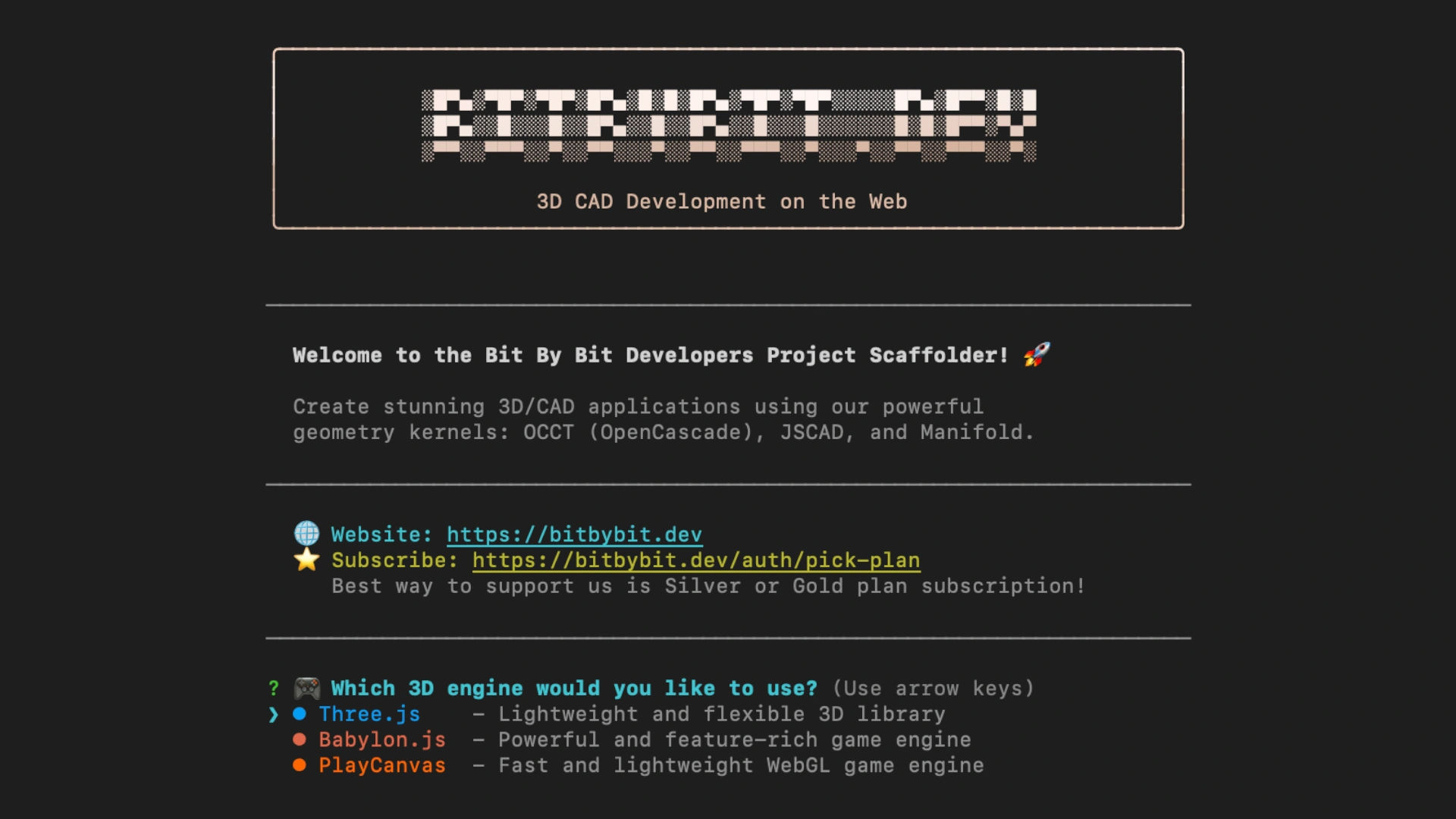
That's it. The CLI will guide you through a quick interactive setup where you choose your preferred 3D engine. Currently, we support three popular options: Three.js for its lightweight flexibility, Babylon.js for its powerful feature set, and PlayCanvas for its fast WebGL performance.
If you prefer to skip the prompts, you can also specify the engine directly:
npx @bitbybit-dev/create-app my-project --engine babylonjs
What You Get Out of the Box
When the scaffolding completes, you'll have a fully functional project that includes everything you need to start building. The project uses Vite as the build tool, which means incredibly fast hot module replacement during development and optimized production builds. TypeScript is configured from the start, giving you type safety and excellent editor support.
Most importantly, all three of our geometry kernels come pre-configured and ready to use. OCCT (OpenCascade Technology) is there for professional-grade CAD operations like fillets, chamfers, and boolean operations on solid models. JSCAD provides programmatic solid modeling capabilities that many developers find intuitive. And Manifold handles fast mesh boolean operations when you need high-performance geometry processing.
The generated starter code demonstrates how to use each kernel. You'll see examples of creating rounded cubes with OCCT, performing boolean differences with Manifold, and building geodesic spheres with JSCAD. This gives you a clear starting point to understand how each kernel works and when to use which one.
The Development Workflow
After scaffolding your project, the workflow is straightforward. Navigate into your project folder, install the dependencies, and start the development server:
cd my-awesome-project
npm install
npm run dev
Your browser will open with a live preview of your 3D scene on http://localhost:5173. Make changes to the code, and they appear instantly thanks to Vite's hot reload. When you're ready to deploy, a simple npm run build creates an optimized production bundle.
Choose Your Engine
Each supported 3D engine has its own strengths. Three.js is an excellent choice if you want a lightweight library with a massive community and countless examples online. It's particularly good for creative coding and visualization projects.
Babylon.js shines when you need a complete game engine with built-in support for physics, shadows, post-processing effects, and complex scene management. If you're building something that needs to feel like a polished application or game, Babylon.js has you covered.
PlayCanvas offers a fast and lightweight approach to WebGL development. It's designed for performance and works well for projects where load time and runtime speed are critical concerns.
No matter which engine you choose, the Bitbybit geometry kernels work with all of them. You can create complex CAD geometry with OCCT and render it beautifully in any of these engines.
Cloud Projects: Server-Side CAD
The CLI isn't just for frontend apps anymore. You can now scaffold cloud projects that pair a backend server with a React + Three.js frontend, connecting to our CAD Cloud API for server-side model generation, STEP-to-glTF conversion, and CAD pipelines.
Run the CLI and select the cloud app type when prompted. Then pick from five backend templates:
- Hono + SDK - TypeScript SDK on Cloudflare Workers
- Hono + REST - raw
fetchon Cloudflare Workers - Node.js + SDK - TypeScript SDK on Express 5
- Node.js + REST - raw
fetchon Express 5 - .NET + REST -
HttpClienton ASP.NET Core (.NET 10)
Your API key stays on the server, and the frontend proxies all requests through your backend. Add your key, run npm install, and you're building a full-stack CAD application.
Why This Matters
We believe that the future of CAD and 3D design is on the web. Browser-based tools are accessible to everyone, require no installation, and can run on virtually any device. But building these tools has been harder than it should be.
With @bitbybit-dev/create-app, we're lowering the barrier to entry significantly. Whether you're a seasoned developer exploring CAD programming or a designer wanting to prototype ideas in code, you can now get started in seconds rather than hours.
The CLI is open source and available as part of the Bitbybit monorepo on GitHub. We welcome contributions, feedback, and feature requests from the community.
Get Started Today
Ready to try it out? Open your terminal and run:
npm init @bitbybit-dev/app my-first-cad-app
If you build something cool, we'd love to see it. Share your projects with us on Discord or tag us on social media. And if you find Bitbybit valuable for your work, consider supporting the project with a Silver or Gold subscription at bitbybit.dev/auth/pick-plan.
Happy coding!